Poinsettia Initial V Machine Embroidery Design for Stockings

By knowing the speed of your embroidery machine, you can find out how long it will take to embroider a design.
To use the embroidery calculator, click on the number of stitches in the product description.
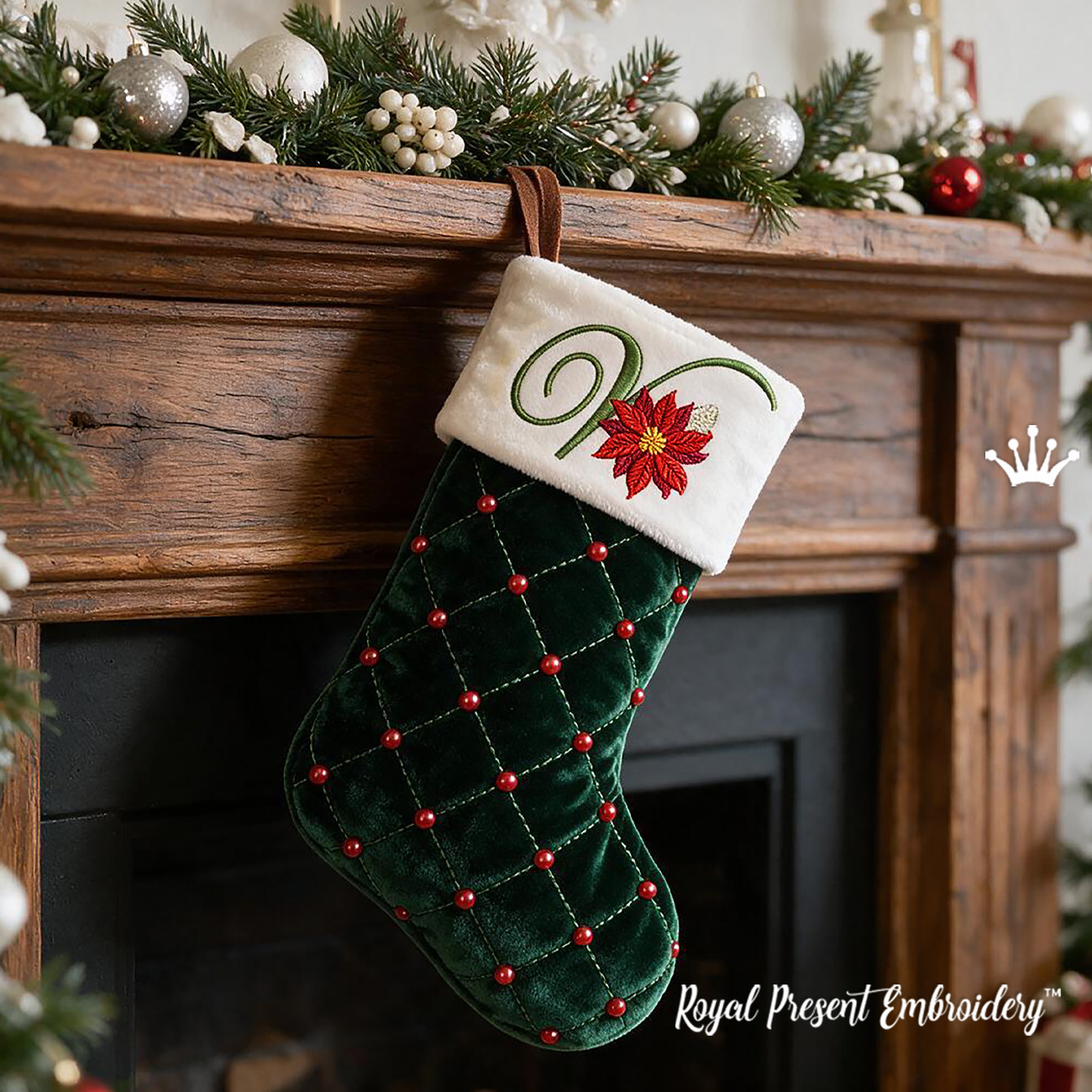
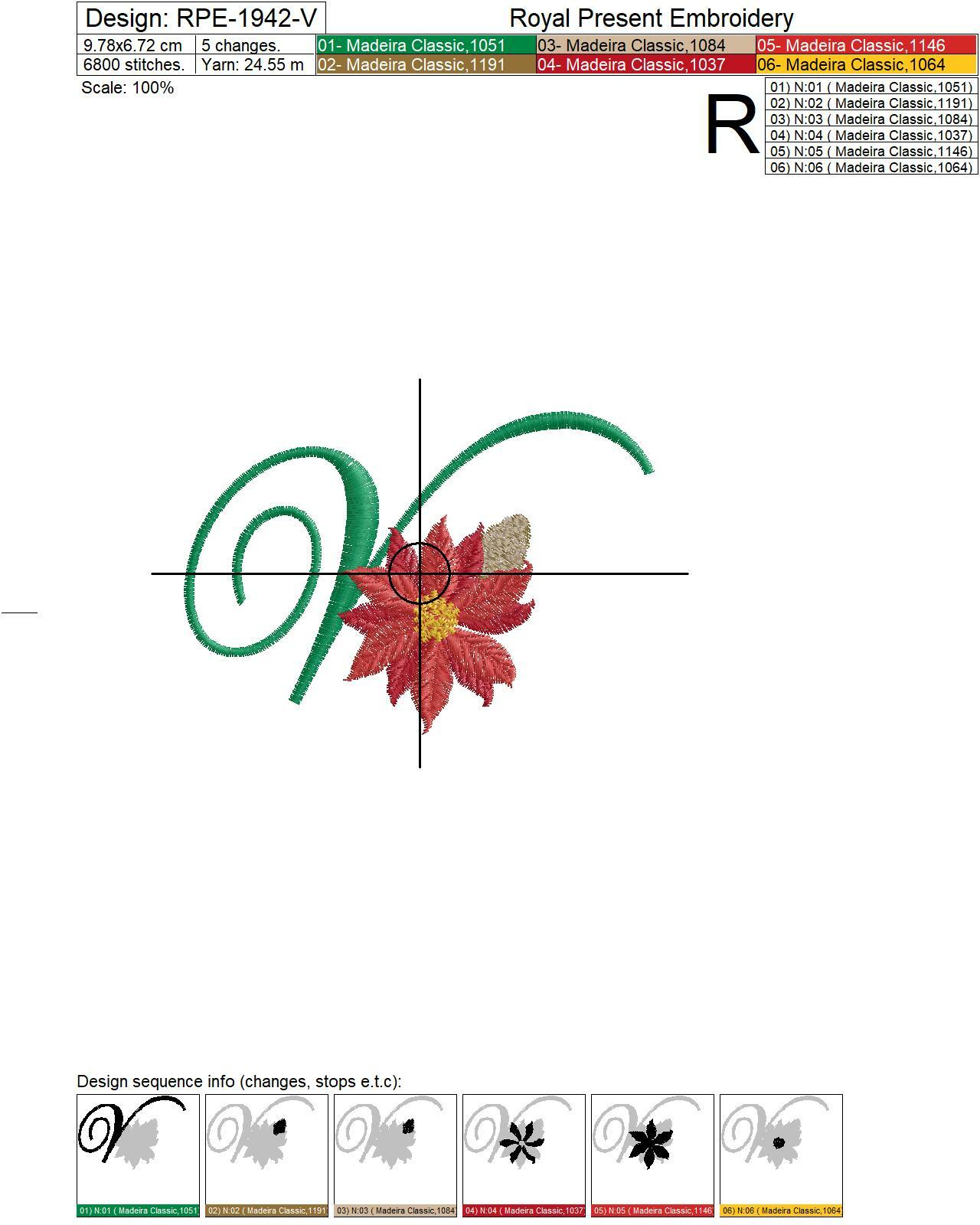
Christmas Monogram V with Poinsettia Machine Embroidery Design is a downloadable file containing one decorative capital letter V with a red poinsettia, pine cones, berries and evergreen foliage. The design is intended for embroidering a personalized velvet Christmas stocking cuff before the stocking is assembled. This product does not include a finished stocking, sewing pattern, complete alphabet or physical patch.
Size: 97.8x67.2 mm (3.85x2.65 "), Stitches: 6715
Formats: .dst, .jef, .pec, .vip, .hus, .pes, .exp, .sew, .dat, xxx, vp3
Hoop Size for Christmas Monogram V
This design requires a minimum embroidery field of 100x100 mm (3.94x3.94", commonly called 4x4"). It does not fit an 80x80 mm hoop because the design is 97.8 mm wide.
The letter occupies almost the entire width of a 100x100 mm field, leaving only 2.2 mm of total horizontal clearance. Check the actual embroidery field of your machine, center the file precisely and do not confuse the usable embroidery area with the outside dimensions of the hoop.
Preparing a Velvet Stocking Cuff
Mark the cuff outline, seam allowances, horizontal axis and embroidery center on an oversized piece of velvet. Keep the fabric flat and embroider the letter before cutting out the cuff. This provides enough fabric around the hoop and prevents the finished stocking from catching around the embroidery arm.
Check the direction of the velvet pile before positioning the monogram. The cuff and stocking body should have a consistent nap direction, otherwise individual pieces may appear to be different colors under the same light.
Madeira Stabilizers for Embroidery on Velvet
Use Madeira Cotton Fix underneath the velvet. Hoop only the stabilizer with its paper side facing up, remove the protective paper inside the embroidery area and place the velvet on the exposed adhesive surface. This prevents the hoop from crushing the pile or leaving a rectangular mark.
Place Madeira Avalon Film over the velvet as a water-soluble topping. The transparent film keeps the letter edges, poinsettia petals and small berry details above the pile instead of allowing the stitches to sink into the fabric. Read more about this topping in the guide to Madeira Avalon stabilizers.
After embroidery, support the stitches with your fingers while gently removing the Cotton Fix from the wrong side. Tear away as much of the upper film as possible by hand. Do not soak the velvet. If tiny fragments remain, test the fabric first and touch only the remaining film with a barely damp cotton swab.
Matching Christmas Stocking Initials
Combine the letter V with the Christmas monogram Q and Christmas monogram Z to make separate stockings for different family members.
Create one reusable placement template showing the cuff edge, centerline and distance to the embroidery center. Apply the same measurements to every stocking and position the poinsettia cluster at a consistent height, even though the letters have different widths.
FAQ About Machine Embroidery on Velvet
Can you machine embroider on velvet without leaving hoop marks?
Yes. Hoop Madeira Cotton Fix by itself and float the velvet on its adhesive surface. The velvet should not be clamped directly between the hoop rings because pressure can flatten the pile.
What stabilizer should I use under velvet embroidery?
For stable, non-stretch velvet, use Madeira Cotton Fix as the bottom stabilizer. Its adhesive surface holds the cuff in position without traditional hooping. Stretch velvet may require additional lightweight cut-away support.
Do I need water-soluble topping when embroidering on velvet?
Yes. Madeira Avalon Film is placed on top of the velvet to prevent stitches from sinking into the pile. This is particularly important for the small poinsettia petals, berries and letter outlines.
Should I embroider the stocking before or after sewing it?
Embroider the flat cuff piece before assembling the stocking. Hooping or floating a completed stocking is more difficult, and the lining or back layer can accidentally be stitched to the cuff.
How do I remove water-soluble film from velvet?
First remove the excess film carefully by hand. Avoid soaking the velvet. If small pieces remain between stitches, test an offcut and use a barely damp cotton swab only on the remaining film.

 Get Sign-In Link
 Login with Google
 Login with Facebook
 Login with Amazon
 Login with Paypal